Triple Screens vs Ultrawide
Triple Screens vs Ultrawide for Sim Racing — In-Depth Comparison & Buying Guide
When it comes to building a truly immersive sim racing setup, one of the most debated questions among racers is: Should I go for a triple-screen display setup or an ultrawide / super ultrawide monitor? Both options have strong advocates, and each has unique advantages — but which one is actually better for your racing experience in 2025?
In this detailed comparison, we break down the key differences, performance implications, immersion levels, costs, and practical considerations to help you decide which display configuration suits your needs best.
Why Your Display Setup Matters in Sim Racing
Sim racing is all about immersion, situational awareness, and visual feedback. The right display configuration can dramatically influence:
- Field of View (FOV)
- Perceived speed and realism
- Corner entry visualization
- Reaction time and performance
- GPU load and graphics performance
Your choice between triple screens and ultrawide(s) doesn’t just affect visuals — it impacts how you feel the game.
Configuration 1: Triple Screens
✅ What Is a Triple-Screen Setup?
A triple screen setup consists of three individual monitors aligned side-by-side, usually with slight angles toward the driver. Typical resolutions include:
- 3 × 1080p (Triple Full HD)
- 3 × 1440p (Triple QHD)
- 3 × 4K (Triple UHD) (very GPU demanding)
This arrangement creates a wide panoramic view, simulating the peripheral vision you’d have in a real car.
📊 Advantages of Triple Screens
1. Immersive Peripheral Vision
Triple monitors surround you visually, allowing you to see far into corners and trackside objects without distortion. This can improve spatial awareness in games like iRacing, Assetto Corsa, and rFactor 2.
2. Natural Field of View Control
Most sims allow you to set FOV precisely on triple screens, giving realistic perspectives similar to real racing seats.
3. Modular & Customizable
You can mix and match monitor sizes and resolutions. If one screen dies, it’s easy and cheap to replace.
4. Great for Multi-Purpose Use
Triple screens are excellent for work, streaming, and multitasking — not just racing.
🚫 Disadvantages of Triple Screens
1. GPU Demands Can Be Extreme
Running three displays at high resolution multiplies pixel count quickly — and demands very powerful graphics cards.
2. Bezels Break Visual Continuity
Even thin bezels interrupt your view and can be distracting during critical moments.
3. More Cable Management & Space Required
Triple screens take up significant desk space and involve more wiring.
Configuration 2: Ultrawide & Super Ultrawide Monitors
✅ What Is an Ultrawide / Super Ultrawide Monitor?
Ultrawide screens have extended aspect ratios like:
- 21:9 (standard ultrawide)
- 32:9 (super ultrawide)
- 49” and larger curved formats
These displays provide an uninterrupted wide view without bezels slicing through your vision.
📊 Advantages of Ultrawide Displays
1. Seamless Visual Immersion
With no bezels, your peripheral vision feels continuous — ideal for high-speed racing and crisp track edges.
2. Lower GPU Load Than Triple 4K
Compared to three high-resolution panels, one ultrawide often uses fewer pixels overall, making it easier to hit high FPS.
3. Sleeker Setup, Fewer Cables
One panel means less clutter behind your cockpit and fewer connections to manage.
4. Perfect for Curved Views
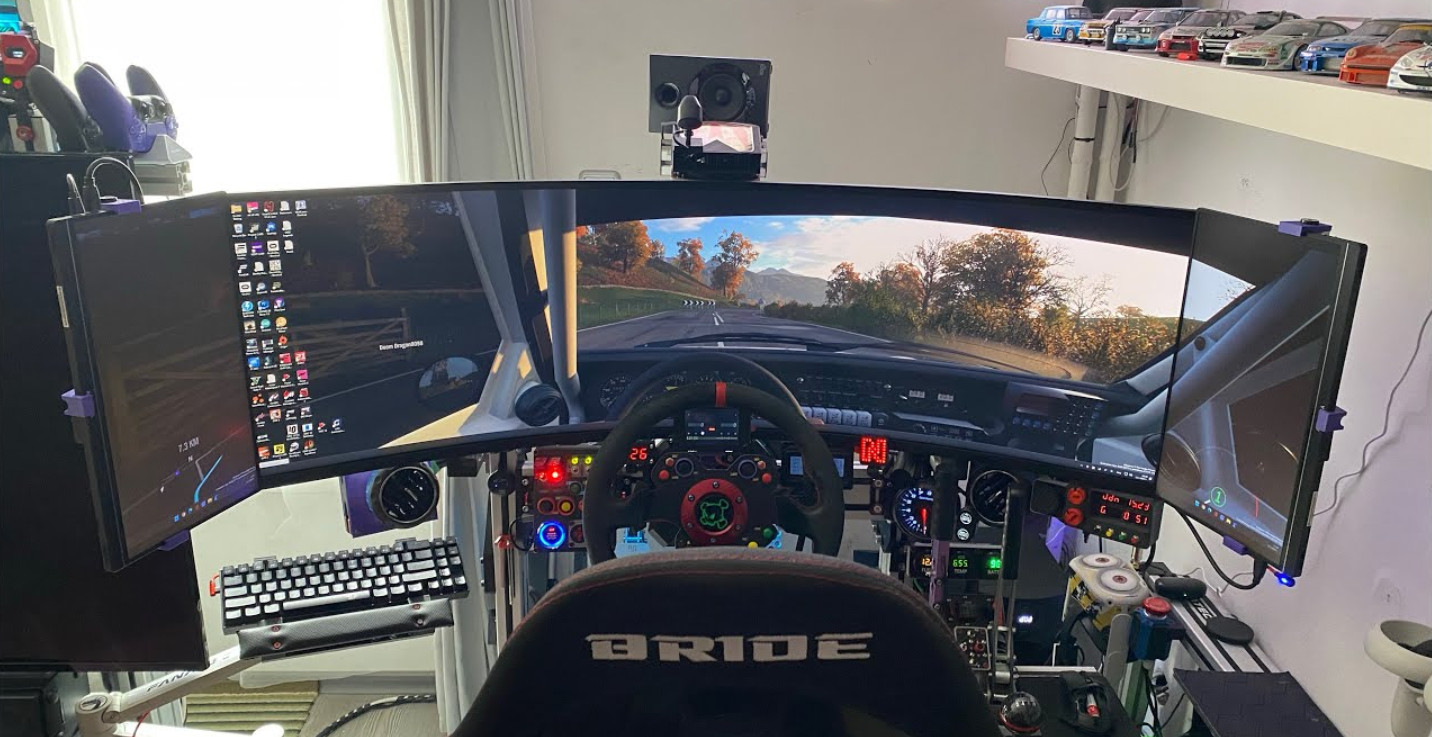
Curved super ultrawides (like 49” 32:9) almost wrap around you — offering a rich immersive feel without the hassle of multi-screen alignment.
🚫 Disadvantages of Ultrawide Displays
1. Less Accurate FOV in Some Sims
Certain titles handle FOV poorly on ultrawide resolutions, resulting in compressed perspectives or distorted visuals.
2. Pricey for High Refresh + High Resolution
Ultrawides with 144 Hz+ and top-Tier HDR can be expensive — especially once you want high refresh + high resolution.
3. Limited Vertical Viewing Compared to Multiple Stacked Displays
Ultrawides may sacrifice some vertical space compared to dual-stacked screens or multi-screen setups.
Triple Screens vs Ultrawide — Direct Comparison
| Feature | Triple Screens | Ultrawide |
|---|---|---|
| Field of View (FOV) | ✔️ Excellent adjustable | ✔️ Good but varies by sim |
| Immersion | ⭐⭐⭐⭐ | ⭐⭐⭐⭐☆ |
| Bezels | ✖️ Yes | ✔️ No |
| GPU Load | ⭐⭐ – ⭐⭐⭐ | ⭐⭐⭐ – ⭐⭐⭐⭐ |
| Cost Efficiency | ⭐⭐ | ⭐⭐⭐ |
| Space Requirement | Large | Moderate |
| Ease of Setup | Moderate | Easy |
| Best For | Realistic race simulation | Immersive gameplay & streamlined setup |
Which Setup Should You Choose?
🏎️ Choose Triple Screens if:
✔ You want maximum realistic peripheral vision
✔ You race competitively and care about precise spatial awareness
✔ You don’t mind bezels or extra GPU load
✔ You need a flexible setup for work + racing + multitasking
This setup is ideal for titles that support wide FOV mechanics well and for racers who prize real world simulation feel over simplicity.
🚀 Choose Ultrawide / Super Ultrawide if:
✔ You want a clean, seamless display
✔ You prefer less driver distraction without bezels
✔ Your GPU isn’t overkill but you still want a wide view
✔ You enjoy curved panoramic immersion and aesthetics
Ultrawides offer an excellent balance of performance and immersion for many racers and gamers.
Practical Tips Before You Buy
🔧 Check FOV Support in Your Favorite Games
Some sims optimize ultrawides better than others — make sure your favorite titles handle wide resolutions properly.
📺 Don’t Skimp on Refresh Rate
Whether triple screens or ultrawide, 100 Hz+ makes a huge difference in response and feel.
📍 Consider Cockpit Compatibility
Ensure your cockpit or stand fits the total width of screens you plan to install.
Final Verdict — Which Is Best?
There’s no one-size-fits-all answer — but here’s the bottom line:
🚦 Triple screens give you the most realistic, race-centric FOV and depth perception.
🌀 Ultrawide / super ultrawide delivers seamless immersion and easier setup.
If budget, GPU power, and space aren’t limiting you — a triple screen setup still edges out for competitive realism. But for most sim racers in 2025, a 49” super ultrawide hits the best balance between cost, performance, simplicity, and immersion.

My name is Michael “Mick” Carter, and I’m a dedicated sim racing enthusiast with a deep love for motorsport. I first discovered sim racing in 2015 when a friend introduced me to a Logitech G27 and Assetto Corsa—an experience that immediately hooked me. Since then, I’ve gone from basic gear to advanced direct drive setups, VR headsets, and custom racing rigs, constantly refining my driving technique and equipment.
I mainly race in iRacing, ACC, and rFactor 2, focusing on GT3 endurance and open-wheel events. I’m not a professional driver—I’m simply someone who enjoys the craft of racing: learning car behavior, improving lap times, and battling for position with respect and skill.
I share what I’ve learned so others can build setups they enjoy and grow their own passion for sim racing. For me, the joy is in improving, one race at a time.
Owner at SimRacingCockpits.Com